
ThingPass - a passport for your items
One label. The whole story of your items.
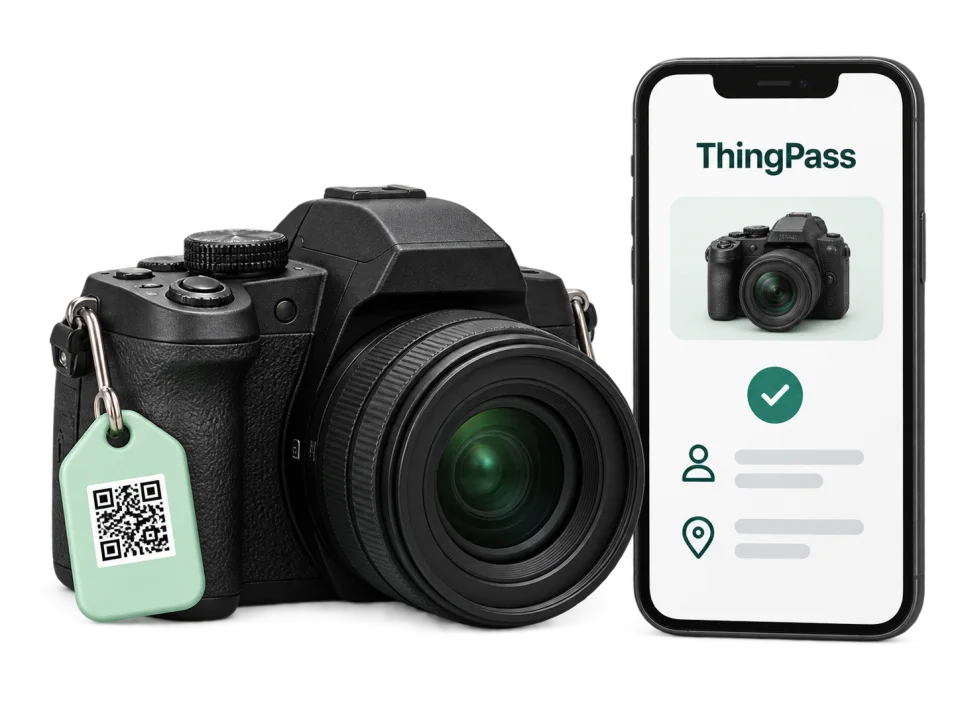
Create a record, attach its QR label and keep track of who uses your equipment, where it is and what has happened to it.
Included in Outilo Pro. Invited members do not need an Outilo account.
Your equipment, in three simple steps.
Create its record
A name is enough. Add a photo and useful details whenever you need them.
Attach its QR label
Download the label, print it and attach it to the item. Its link stays the same.
Keep track
Scan to view the record, check the item out or return it, or contact its owner.
One scan. The right information.
The same label opens a record tailored to the person scanning it.
Stay in control of your equipment.
Identify every item
Create its record and print its permanent QR.
See who is using it
View its holder, current location and activity. You can also check it out yourself.
Handle the unexpected
Record actual returns, maintenance and the recovery of lost items.
Your private notes, purchases and finder contact details stay visible only to you.
Check out equipment in a few taps.
Sign in with your link
The owner invites you by email. No Outilo account or password to create.
Scan, then check out the item
If it is available, choose “Check out this item”. The checkout is recorded in your name.
Return it and confirm the location
Choose “Return this item”. You can also change its current location or report a problem.
You use the equipment; only the owner manages records, members and settings.
Help it find its way back to its owner.
Scan the label
The item name appears, with its photo only if the owner has published it.
Choose “I found this item”
Leave a message and your email or phone number, without creating an account.
The owner is notified
Only the owner receives your contact details and can get in touch to arrange its return.
The location, holder, references and owner’s contact details stay private.
Sample item record
Fictional data
Owner

Camera
PHOTO-01
Available- Current location
- Workshop
- Category
- Photography
- Holder
- No holder
- Reference
- PHOTO-01
Recent activity
- Location changedWorkshop
Bring a charged battery.
Member
Camera
PHOTO-01
Available- Current location
- Workshop
- Category
- Photography
- Holder
- No holder
Change the current location
Report a problem
Try checking out the item, then returning it. This demo does not change any real item.
Visitor
Camera
This item is registered in ThingPass.

Someone who finds the item can send a message and a way to contact them. The owner receives a notification.
It is that simple.
In ThingPass, the report is saved and the owner is notified. This is a demo: no message has been sent.
The owner’s contact details, location, holder and history remain private.
Switch views to see which information is visible.

For every item that changes hands.
Cameras, computers, instruments, consoles, luggage, tools… One workspace for all the equipment you want to identify.
Your workspace. Your team.
Create records and invite your members. They check equipment out and return it through a personal link, with no Outilo account or password.
Received an invitation? Member sign-in
Your items are ready for their passport.
Included in Outilo Pro, with no separate subscription.
More about ThingPass - a passport for your items
Go deeper
A digital record for every item
Cameras, computers, instruments, consoles, luggage and tools: create a record, print its QR code and label your equipment. The QR stays the same when the record changes.
Keep track of equipment
See availability, holders and locations. Record checkouts, returns, incidents, losses and recoveries in one timeline. Invite members by email: a magic link gives them access only to ThingPass, without a password or a main Outilo account.
Recover a found item
A person scanning the QR sees the item name and its photo if you publish it. They can send a message and contact details without knowing yours. Read their details in your private workspace and contact them directly.
Included in Outilo Pro
Each Pro account owns one ThingPass workspace. Archived items retain their QR and status. When Pro access ends, records are kept, public contact stays available, and returns and recoveries remain possible.
FAQ
Does editing an item change its QR code?
No. The QR is permanent, including after archiving. A permanently deleted code is reserved and can never be reassigned.
Do members need an Outilo account?
No. Each member receives a magic link giving access only to your ThingPass workspace. It grants no access to other Pro tools.
What can someone who finds an item see?
The name, the photo if published, and a lost notice when applicable. Contact details, locations, holders, serial numbers and history stay private.
Does ThingPass need a separate subscription?
No. ThingPass uses your Outilo Pro access and has no separate billing.
Related tools

Free time simulator — your life in weeks
See the actual free time you have left, in years and weeks. Sleep, work, commute, screens: all deducted.

Due Date Calculator
Calculate your estimated due date in 2 seconds. Full calendar: weeks pregnant, T1/T2/T3 ultrasounds, maternity leave and admin steps.

Work Schedule Simulator
168 hours in a week. Compute the real impact of your work, remote days, commute and duties to discover your true free time.